
Every family, kept in the loop.
Texts and emails update pet parents on the status of their beloved pet through the entire process, in your words and under your name. Payment reminders follow up for you until the balance is paid.
Illustrative mockups with a fictional brand and family.
From the first request to coming home.
Automated email and text at each stage of the process, so families are not left wondering where their pet is.
Service requested
The family hears that the order has been placed, with a link to the Pet Parent Portal.
Picked up
An update when their pet is picked up and on the way to your care center.
Checked in
Confirmation that their pet has arrived and is in your care.
Ready
A ready-for-pickup notification, with a calendar link to plan the visit.
Completed
A final update when the order is complete.
Choose what goes out, and when.
Settings, Notifications holds the whole list. Turn email and text on or off for each notification, limit it to service categories, and set the regular and custom send times in your local time.
- Edit the email and text wording, with placeholders
- Create your own custom notification templates
- Send from your own mail server or the default mailer
- Auto-send the Pet Parent Portal link on order creation
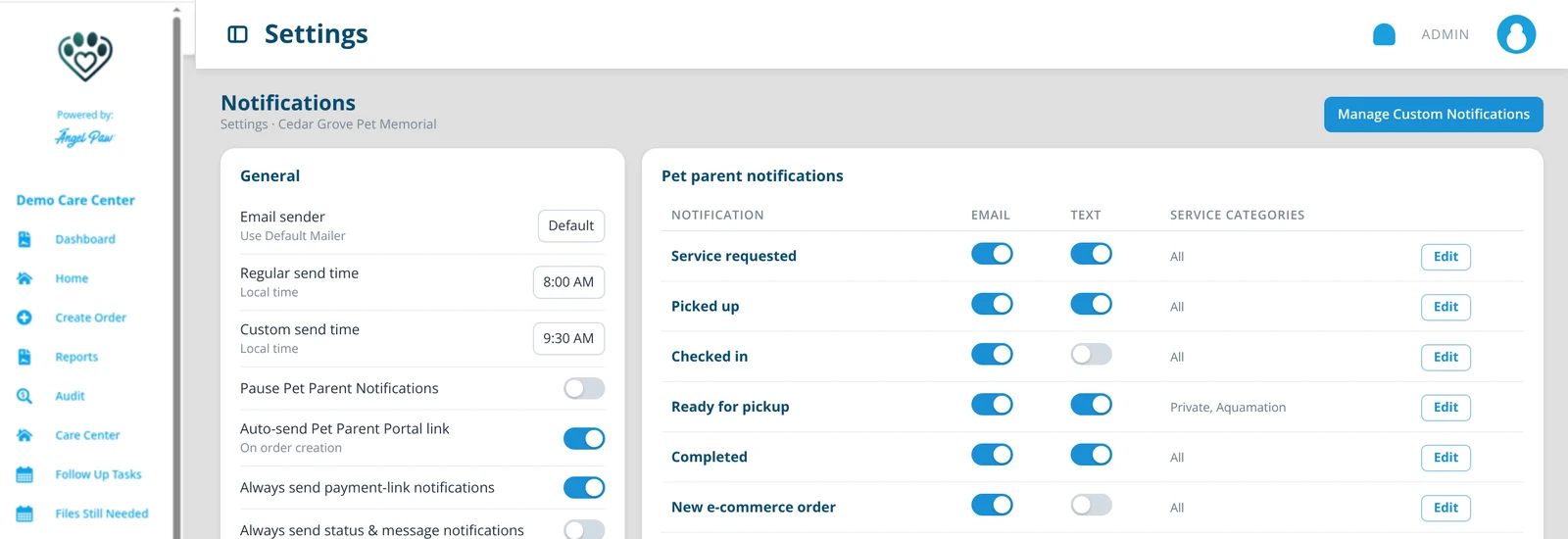
Illustrative mockup based on the Notifications settings described in the Care Center Settings guide.
Follow-ups that send themselves.
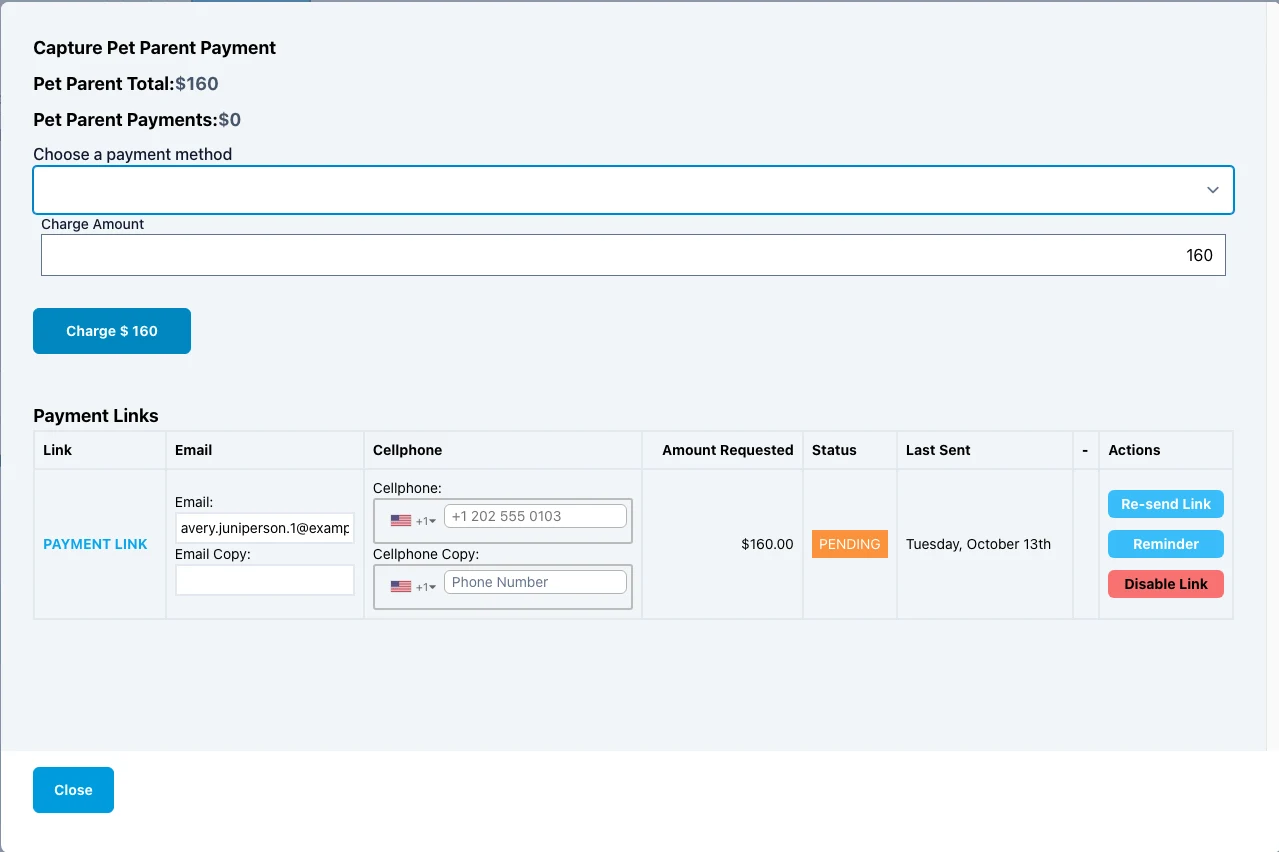
Send a secure payment link by email or text, then set a reminder to repeat every few days until it is paid. Links on an invoice that gets paid are turned off automatically.
- Remind every X days until paid, with an optional note
- Re-send, disable or enable a link at any time
- Account invoices can repeat a reminder until paid
Families stay in control.
STOP means stop
A reply of STOP, UNSUBSCRIBE and similar words turns off text messages for that number. Emails keep going.
OK turns it back on
A reply of OK turns text, email and portal access back on.
Replies reach your team
Messages that may be about the order are forwarded to staff as a new message from the pet parent.
Notifications Log
Each opt-out is written to the order’s Notifications Log.
Per-account overrides
Choose which notifications are on for orders from a specific account or account group.
Pause for testing
Pause pet parent notifications during setup, then switch them on before going live.
Text, email and WhatsApp.
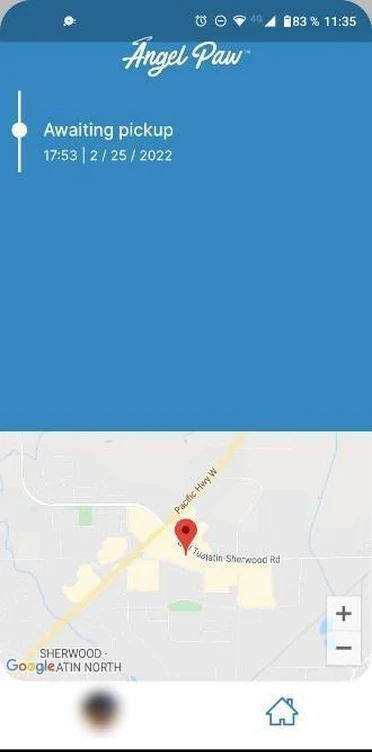
Notifications go out by email and SMS at each stage, plus WhatsApp. Families can also follow every step in the Pet Parent App.
Common questions
Which notifications are included?
The notification types include service requested, picked up, checked in, ready, completed and new e-commerce order, plus payment-link notifications. You can also create your own custom templates.
Can we change the wording?
Yes. Click Edit on any notification to change the email and text wording, turn each channel on or off, limit it to service categories and insert placeholders.
What happens when a pet parent replies STOP?
Text messages stop for that phone number, while emails keep going. A reply of OK turns text, email and portal access back on, and staff can also switch text notifications back on in the order.
Can payment-link notifications reach families who unsubscribed?
Yes, if you turn on Always send payment-link notifications. There is a matching setting for status and message notifications.
Can we test without messaging families?
Yes. Turn on Pause Pet Parent Notifications during setup and testing, then turn it off before going live.