
Every pet, every station, every hand.
Angelpaw follows each pet from the first pickup to the return home: scanned into every station, time-stamped, recorded under the person who moved them, and visible to the care center, the veterinarian and the family.
Every pet. Every step. Fully tracked.
From the moment a pet leaves the clinic to the moment they return home, every station is scanned, time-stamped and visible to the vet, the care center and the family.


A record of who moved each pet, where and when.
Chain of custody is more than a status. Each order keeps a complete history of every movement, with the time of each transition, who made it and how long the pet spent at each station.
Operator QR badge
Each team member has a personal QR badge. Every scan and move on that computer is recorded under their name until someone else scans their own badge.
Station log
A complete history of every movement: the time stamp of each transition, who moved the pet and the time spent at each station.
Label prints
Every label print is logged with date and time, original print or reprint number, what was printed, where and by whom.
Signatures on handoffs
Driver signatures are captured on collection and return entries and kept on the order as tracking evidence.
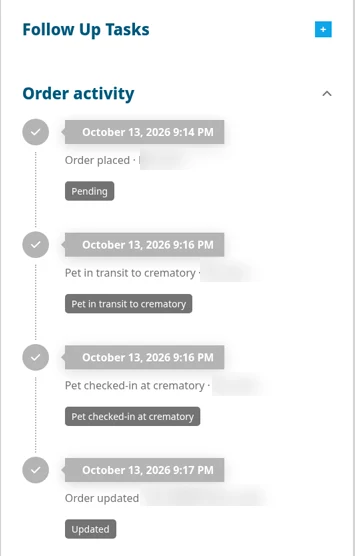
Order activity
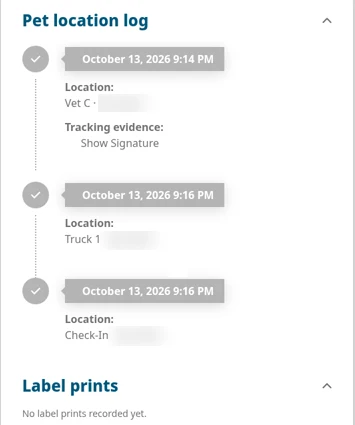
Pet location log
How a pet moves through the Care Center.
A typical flow, step by step. Tap a station to see what happens there and which checks must pass before the pet can move on.
Awaiting Drop-off / Pickup
Orders created by the care center, a vet partner or a pet parent online wait here until the pet is collected or dropped off.
- The driver scans the pet's QR code at each pickup stop
- Scanning a pet into a vehicle places the pickup on a route automatically
- Every pickup is kept as a permanent record, and a repeated scan creates no duplicate
Check-In
The pet arrives at the care center and is formally received.
- Weight confirmed, when Weight At Check-In is on
- Metal tag entered, when required. A metal tag ID can be used by only one pet
- Special instructions appear in a pop-up so nothing is missed
Refrigeration
Pets can move to refrigeration before service, or go straight to Special Services or cremation staging.
- Every move in and out is time-stamped in the station log
- Pet parents never see internal stations such as Refrigeration
Special Services
Paw prints, nose prints, fur clippings and other services that must happen before cremation.
- Each item is scanned and turns green
- All items must be scanned before the pet can move on
Stage for Cremation
Pets are staged for individual or communal service, or placed on a burial hold where the care center offers it.
- Group moves with checkboxes when several pets are ready together
- Each care center decides which moves are allowed from each station
Machine / Section
The pet is assigned to a specific machine and section, for example Machine 1, Section 1.
- Machines and their sections or chambers are set up per care center
- The station log shows exactly which machine and section each pet was in
Post-Service Processing
After the service, the remains are processed before packaging.
- Remains weight is recorded, when required
- Time spent here is visible in the station log
Packaging
The memorial package is assembled and confirmed item by item.
- Urns, certificates and keepsakes are scanned
- All items must turn green before the order can advance
Staged for Return
The memorial package waits for its return to the family.
- Pickup at the crematory
- Return to the veterinarian
- Delivery to the pet parent by vehicle
Loaded in Van
The memorial package is scanned into the delivery vehicle for its return run.
- The driver scans the package into the van in the Driver App
- Every scan is time-stamped in the pet location log
Out for Delivery
The package is on its way back to the veterinarian or the family.
- Pet parents see the Out for Delivery update in real time
- Vet partners and the care center can see where the pet is at any moment
Vet Digital Signature
When the package is returned to the clinic, the veterinarian signs digitally in the Driver App to confirm receipt.
- A digital signature confirms what changed hands
- The signature is stored on the return entry of the order
Completed
Once the pet is home or collected, the order is completed and its full history stays on record.
- Order activity, pet location log and label prints stay with the order
- Exceptions, such as missing items, can be parked on the Incomplete Rack and completed later
Your stations, your rules.
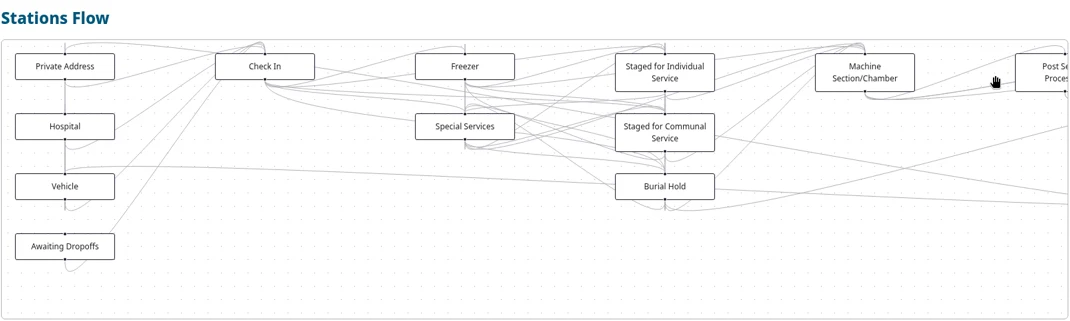
Stations are configured per care center. The Custom Station Flow is a directed graph that decides which moves are allowed and where scans or holds are required, so the floor follows the way your team actually works.
The heart of day-to-day operations.
The Care Center Floor shows the stations a pet moves through, grouped By Station, Station and Status, or Status. Select several pets and move them together, or scan a tag to open a pet in seconds.
Live View
A full-screen view built for a large monitor on the floor. It cycles through the stations automatically so the whole team can see where every pet is.
Move in groups
Check several pets and move them to the next station at once, for example from staging to the machine or from post-service to packaging.
Warnings that help
Special instructions pop up when a pet is opened, and an Authorization unsigned warning flags missing paperwork without ever blocking the work.
No paper trail. A scan trail.
Every pet carries a unique code on a QR code label or barcode tag. Pets are scanned into and out of each station with time, use and user stamps, and the printed order summary travels with the pet as its master tracking document.
Care Center app
Scans pets and items between stations. It recognises pet tags, special-service item barcodes, inventory codes and printed station move codes.
Zebra labels
A Zebra label printer prints barcode labels and Pet QR labels for scanning at stations.
Barcode scanner
An optional USB barcode scanner plugs into the computer. Program it once and every scan it makes is recorded as you.
Driver app
Drivers scan each pet at pickup and capture signatures on collection and return, so the handoff is on record.
Document what you see, at the station where you see it.
Pet Notes in the Care Center app capture the details that matter, with up to five photos per evidence note. Each note records the app and the station it came from, and only admins or IT can remove it.
Photos are stripped of location and camera data before they are stored.
What each audience sees.
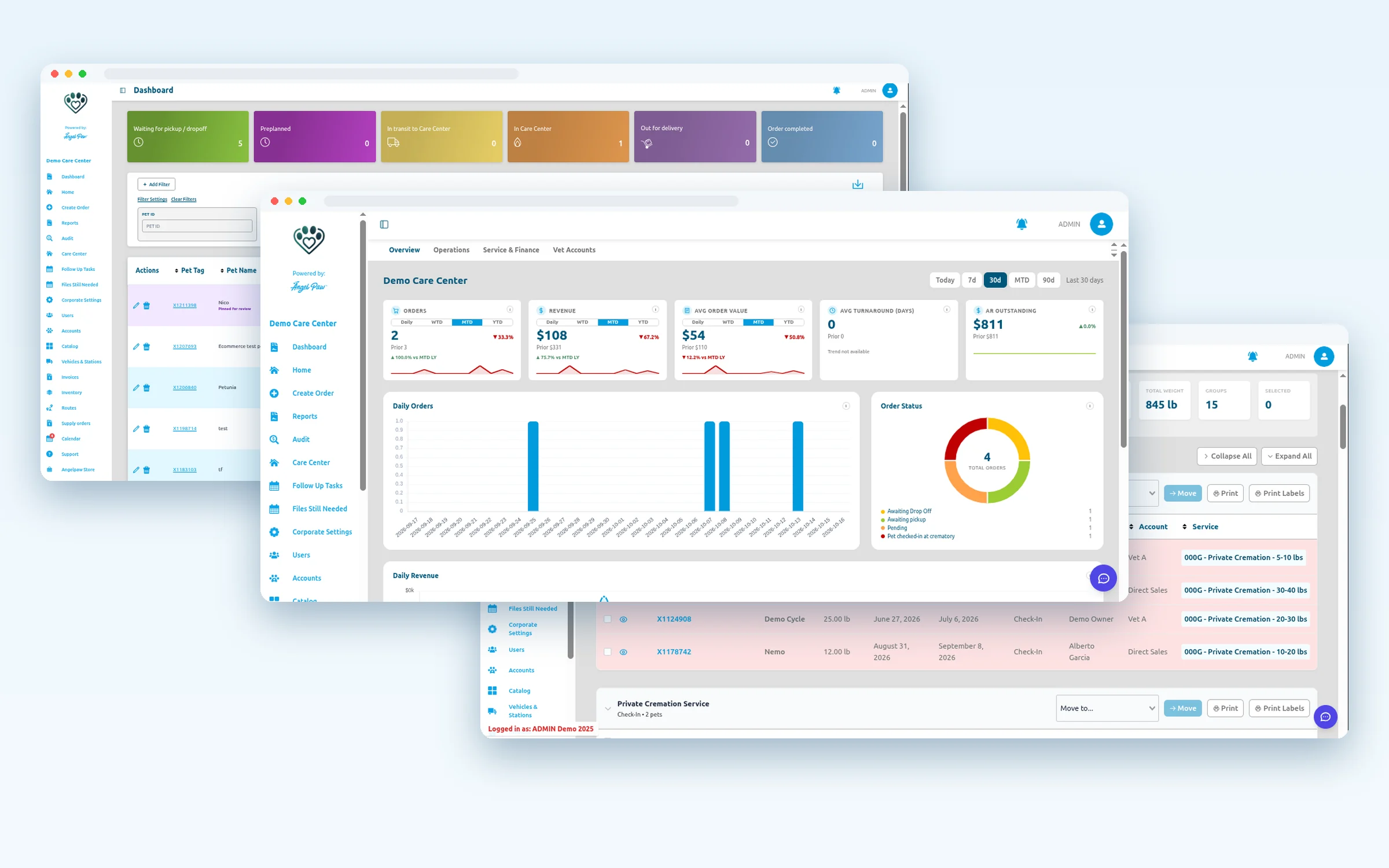
The full picture, down to the station
Care center teams see everything: every station, every move and every person who made it.
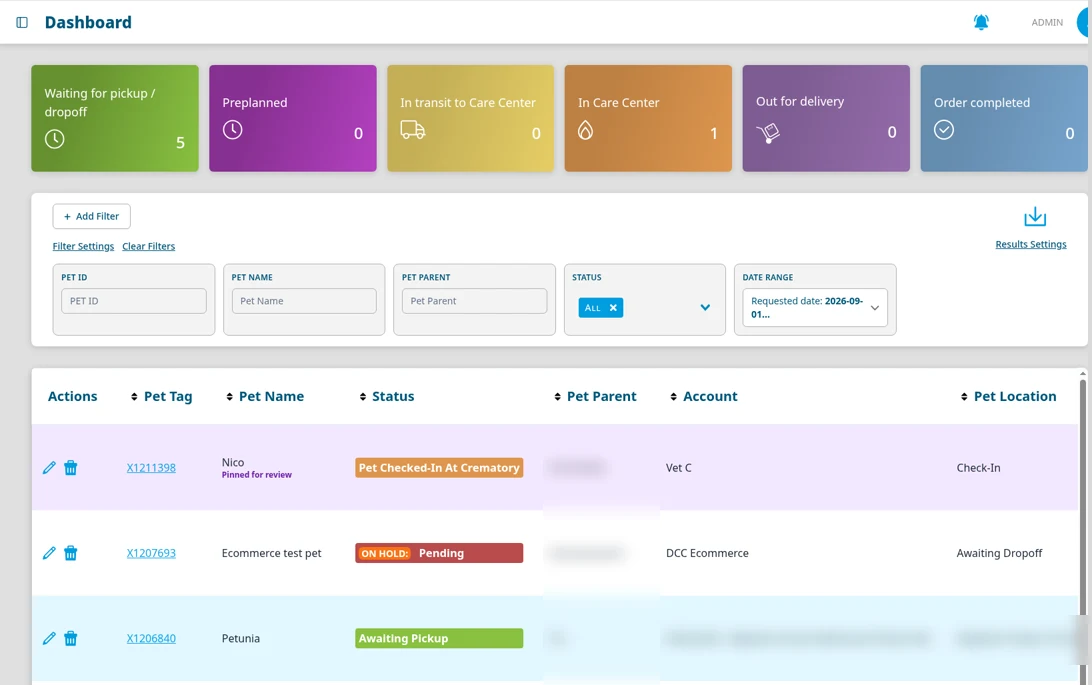
- Dashboard status tiles and a Pet Location column on every order
- Filters by Pet ID, Pet Name, Pet Parent, Status and Date Range
- Order activity, pet location log, label prints, follow up tasks and attachments on each order
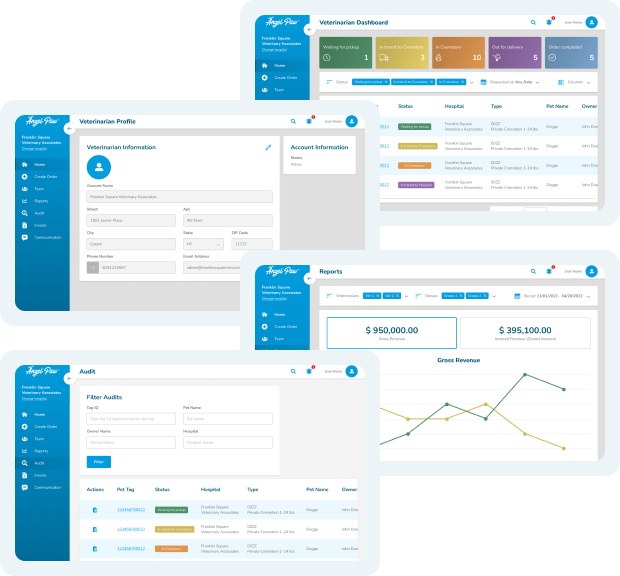
Order status without a phone call
Vet partners log in to their own portal to submit service requests for their clients and follow each order.
- Create orders directly, and the care center is notified automatically
- View the status of every order from their clinic
- Receive and pay invoices in the same portal
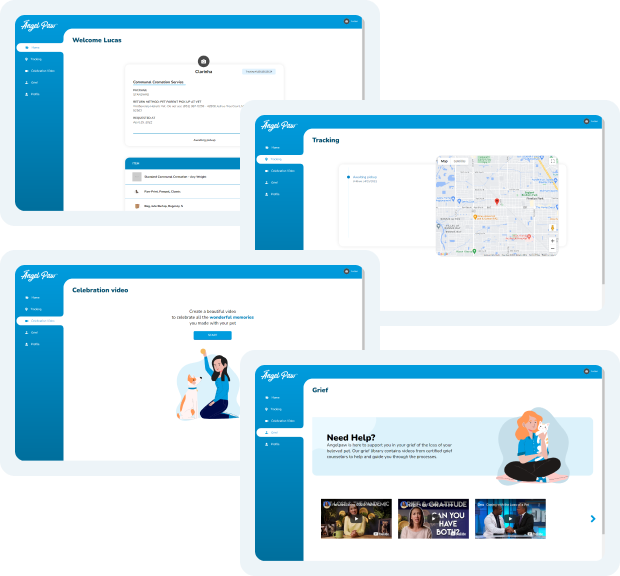
Visibility, transparency and peace of mind
The Pet Parent Portal works on the web, iOS and Android, with links sent by email and SMS.
- Home, Tracking, Celebration Video, Grief and Profile tabs
- Real-time tracking with the confirmed pet location pinned on a map
- Timeline steps and a QR code linked to the order
Families see the timeline, never internal stations or staff notes. Each care center chooses which of 10 steps appear, from New Service Request to Cremains returned.
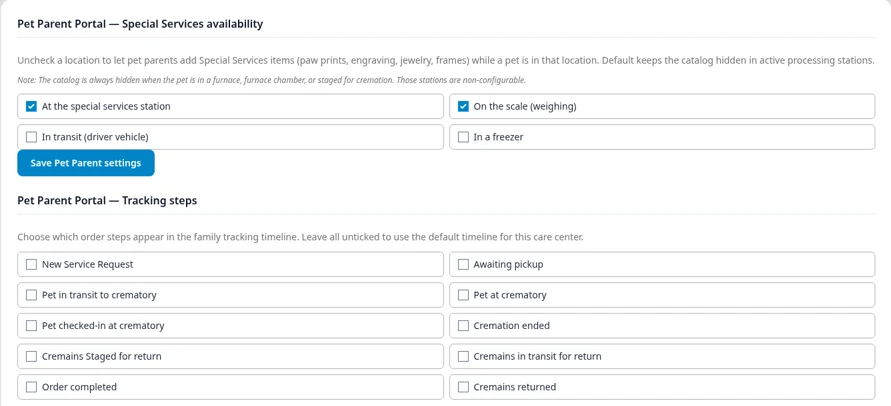
Pet Parent Updates, from Order Taken to Return.
Pet Parents receive real-time updates from the moment the order is taken to the moment they return home. Text messages, emails and pet parent app and portal updates.
Award-winning technology trusted across the pet aftercare industry


Common questions about tracking
How do pets move from one station to the next?
Three ways, with the same result: select pets on the Care Center Floor and move them, scan the pet's QR code and then the station's QR code in the app, or open the order and use Move To.
What stops a step from being skipped?
Items that need a scan before cremation, such as paw prints or fur clippings, must all turn green before the pet can leave Special Services. Urns, certificates and keepsakes must be scanned at Packaging before the order can advance, and a metal tag ID can be used by only one pet.
Who is recorded when a pet is scanned or moved?
The person signed in with their Operator QR badge. Every scan and move on that computer is recorded under their name until someone else scans their own badge, and it shows in the pet location log, status history and activity log.
Can we change the stations to match our workflow?
Yes. Stations are configured per care center, and the Custom Station Flow decides which moves are allowed and where scans or holds are required.
What do pet parents see?
Their pet's information, the current status, a timeline of status changes and a QR code linked to the order. They do not see internal stations, internal notes or other orders.
What is Live View?
A full-screen overview of the stations designed for a large monitor in the crematory. It cycles between pages automatically so all staff can see where each pet is at a glance.
What hardware do we need?
A computer with a modern browser, a Zebra label printer and a phone or tablet for the apps. A USB barcode scanner is optional.