
Phone orders, captured in the same system.
Aftercare orders taken by phone flow into the same platform as e-commerce and veterinary orders. Agents create the order, send a payment link while the family is still on the line, and every call-center order is counted in your channel reports.
Illustrative mockup with fictional agents, callers and numbers.
Phone, web or clinic: the same order, the same tracking.
Whoever creates it, an order uses the same building blocks and follows the pet through the same stations.
Taken by phone
- An agent registers the order during the call
- Payment link sent before the call ends
- Counted as a Call Center order
Placed online
- Families order from your website or self-service portal
- Packages and add-ons chosen online
- Counted as an eCommerce order
Submitted by a clinic
- Vet teams create orders in the Veterinarian Portal
- Billed to the clinic or the family
- Counted as a Veterinarian or Referral order
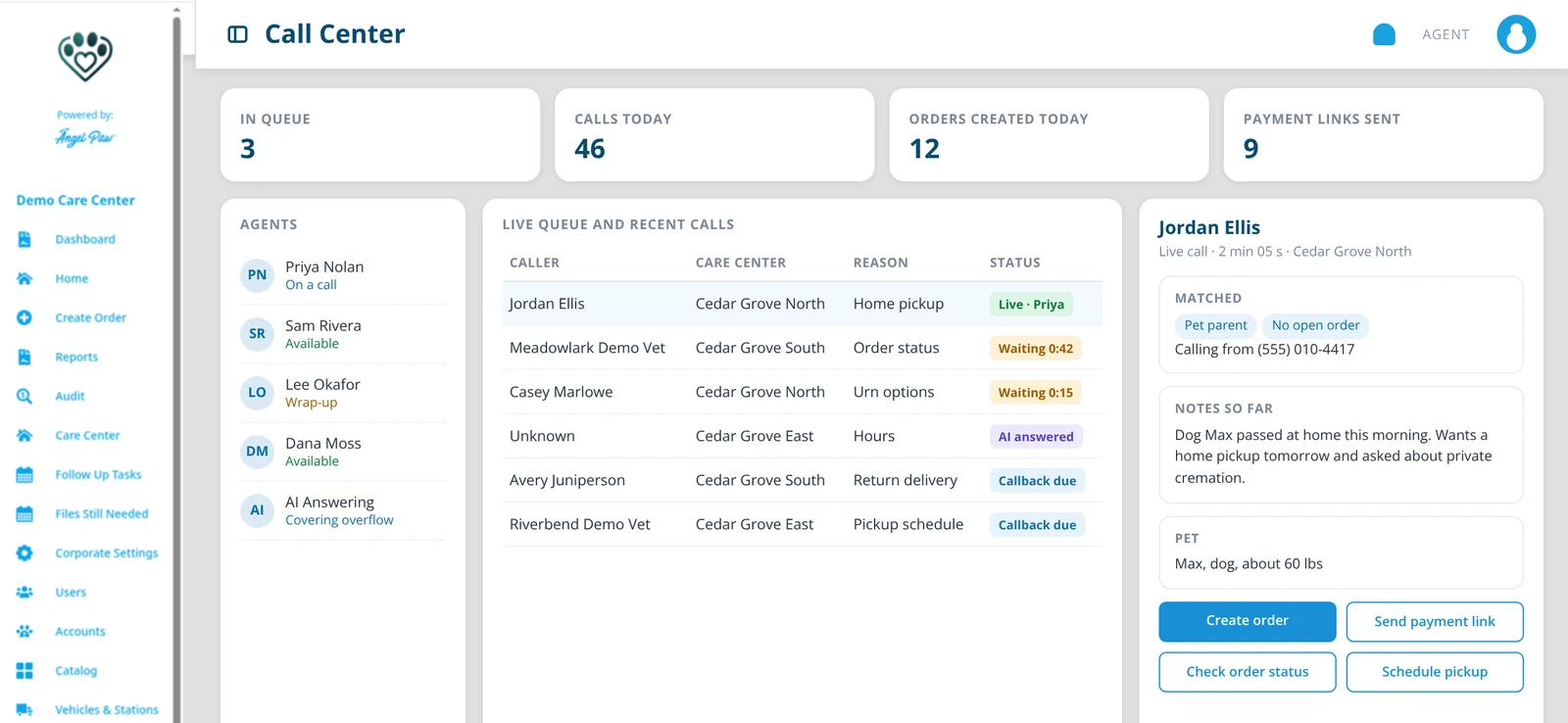
One screen for every agent.
The Call Center view puts the live queue, your agents and the current caller side by side. Agents see which care center the call is for, whether the caller already has an order, and act from the same screen.
- Live queue and recent calls across your care centers
- Agents available, on a call or in wrap-up
- Create order, send a payment link, check status or schedule a pickup in one click
Illustrative mockup with fictional data.
From the first call to the final report.
Create the order
Pet parent, pet, package, additional items, pickup and return methods.
Take payment
Charge now, or text and email a secure payment link.
Track the pet
The order follows the pet through every station to return.
Report by channel
Every order first registered by an agent counts as Call Center.
Everything the family tells you, in one form.
Agents use the same Create Order screen as your office team: the pet parent, the pet, the package filtered by weight, additional items, pickup and return methods, and payment.
- Packages filtered by the pet’s weight
- Take payment now or capture it later
- A printable tag opens as soon as the order is created
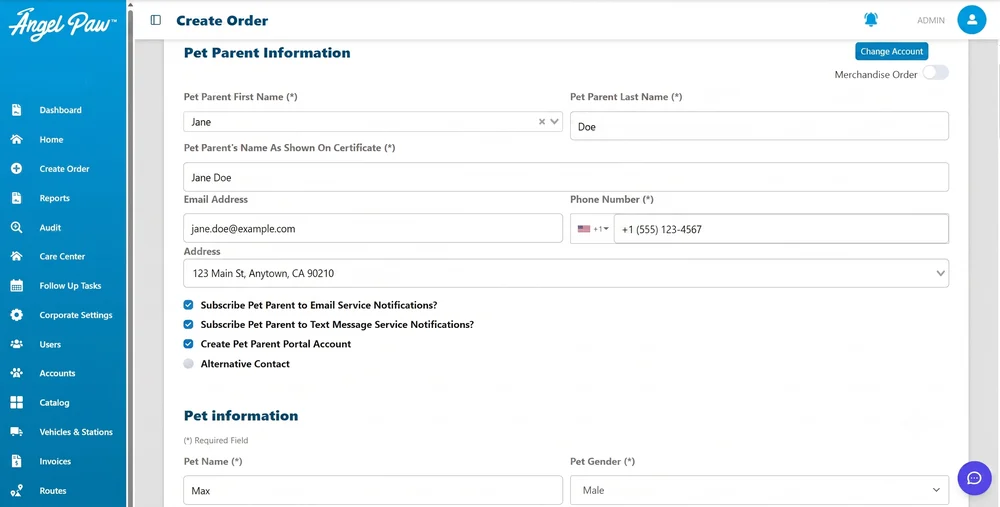
Real Angelpaw screen from a demo care center.
Send a payment link before you hang up.
Choose Send Payment Link and the family receives a secure link by email and/or text. They pay from their own phone, and the order updates as soon as they do. Reminders can go out automatically until it is paid.
- Card fees previewed before anyone pays
- Re-send, remind or disable a link
- Partial payments supported
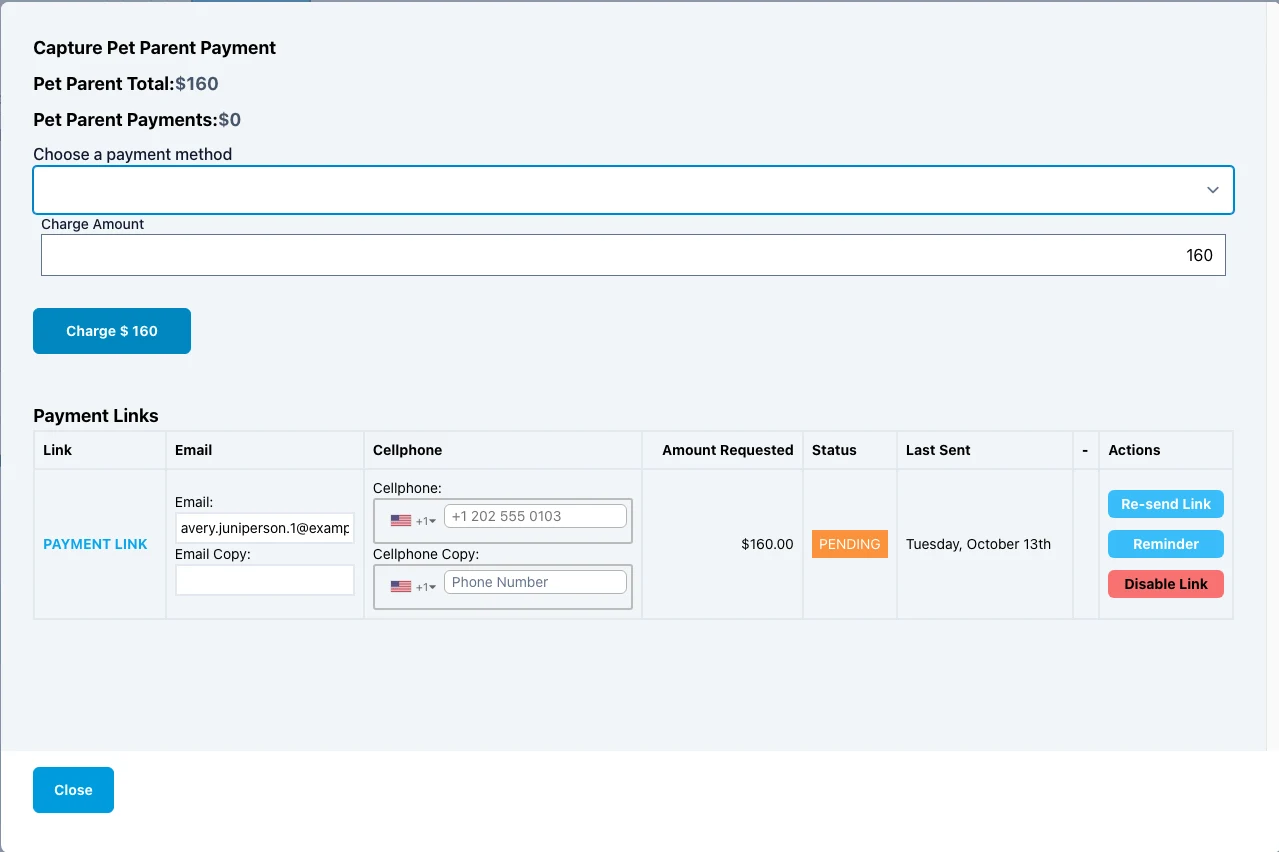
Real Angelpaw screen from a demo care center.
Know how much business comes in by phone.
The Volume Per Channel report classifies every order with the same rules across crematory, veterinary and corporate reports: eCommerce, Referral Veterinarian, Call Center, Walk-ins and Veterinarian. An order counts as Call Center when the person who first registered it is a call-center agent.
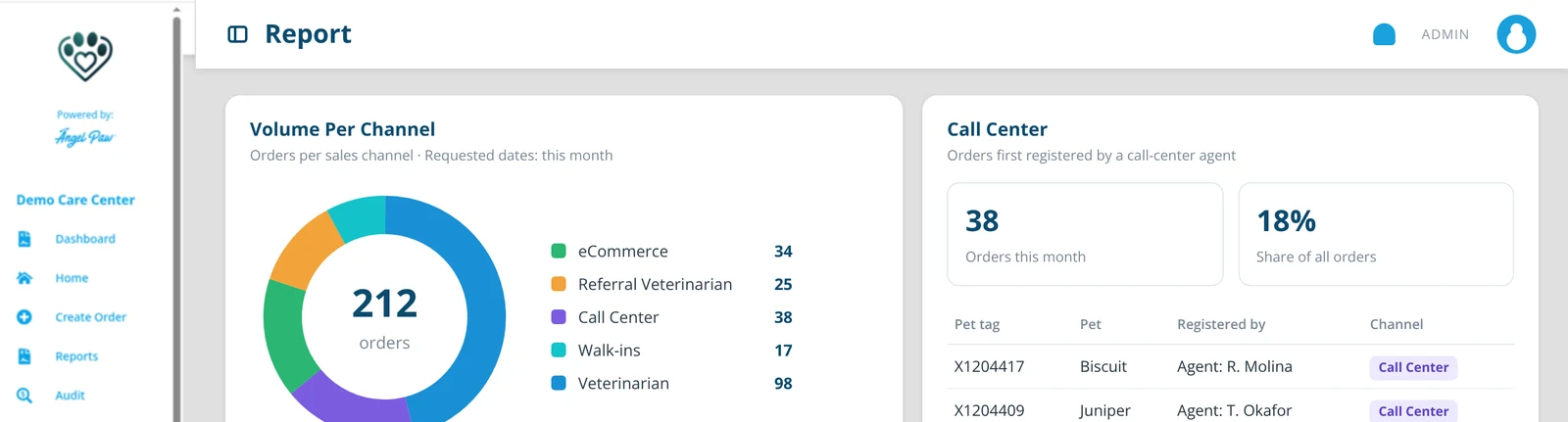
Illustrative mockup with fictional numbers.
Look it up without putting anyone on hold.
When a family calls about an order, agents can ask the AI Assistant in plain language: which orders are pending, where a pet is, what happens next. Families can also follow their pet’s journey in the Pet Parent App, so many questions are answered before they call.

Phone orders, without the paper trail.
No separate system
Phone orders live with every other order, so nothing is re-typed later.
Paid on the call
Payment links let families pay from their phone while the details are fresh.
Measured
Call Center volume appears in the same channel reports as every other channel.
Tracked
Every phone order is tracked from pickup to return, like any other.
Same tools for everyone
Agents, office staff and vet partners work from the same orders.
Families informed
Automatic notifications keep families up to date after the call.
Common questions
What counts as a Call Center order?
An order counts as Call Center in the channel reports when the person who first registered it is a call-center agent.
Do agents need a different screen?
Agents work from the Call Center view, with the live queue and the current caller, and create orders with the same Create Order screen as the rest of your team.
Can agents take payment by phone?
Yes. They can charge a payment method on the order or send a secure payment link by email and/or text, with automatic reminders.
Does this answer the phone for us?
Call Center is where agents capture phone orders. Calls are answered and routed by VoIP + AI Answering, which covers overflow and after hours.