
AI Assistant + Chat Bot
AI that knows your care center.
An AI Assistant inside Angelpaw that answers your team's questions from live orders and data, and a chat bot on your website that helps families, takes actions and creates reports. Both run on the same platform as your tracking, orders and reporting.
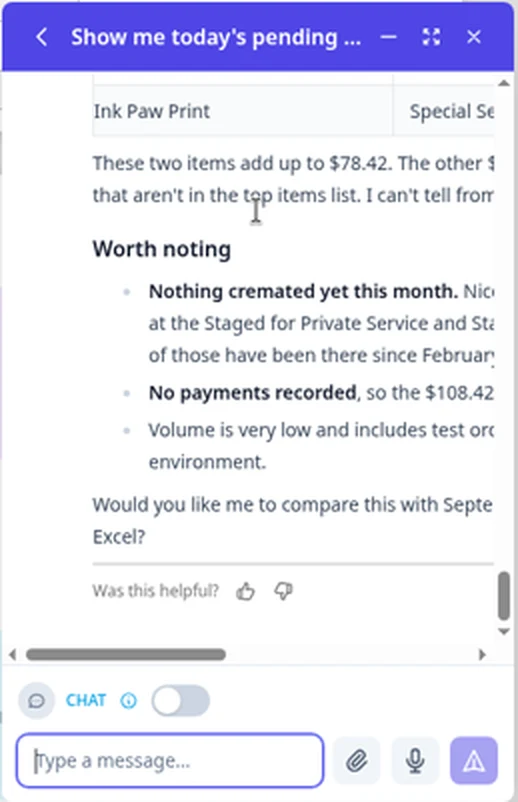
"Show me today's pending orders"
The assistant lists the orders in a table with pet tag, name and species, then explains what it sees: where the orders came from, which ones are on hold and which look like test orders.
- Next steps in plain words, such as how to activate an order that is still on hold
- Points to the exact menu in Angelpaw, for example Options, then Remove hold
- Offers a follow-up if you meant something else, such as pets waiting for cremation
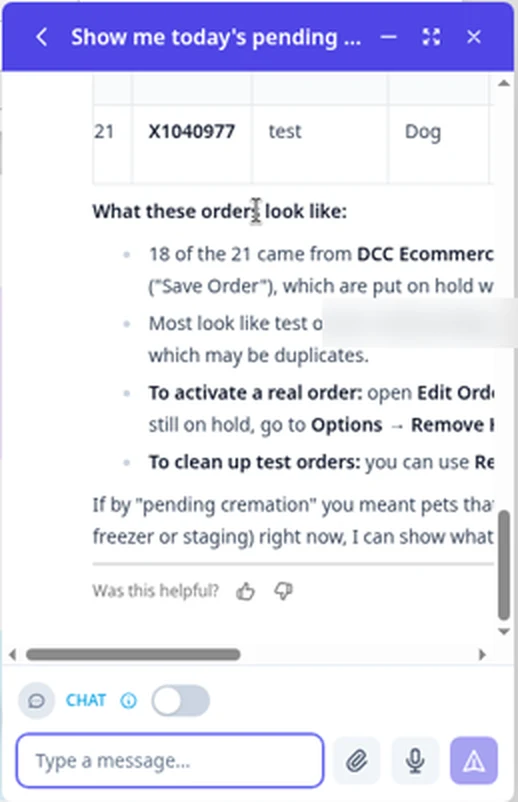
Pets ready for pickup
A table of the matching pets with tag, name, species and weight, followed by what stands out: whether any are on hold, which account they belong to and when they were placed.
- Separates pets waiting for pickup from cremains ready for the family
- Mentions related orders worth a look, and offers to list them too
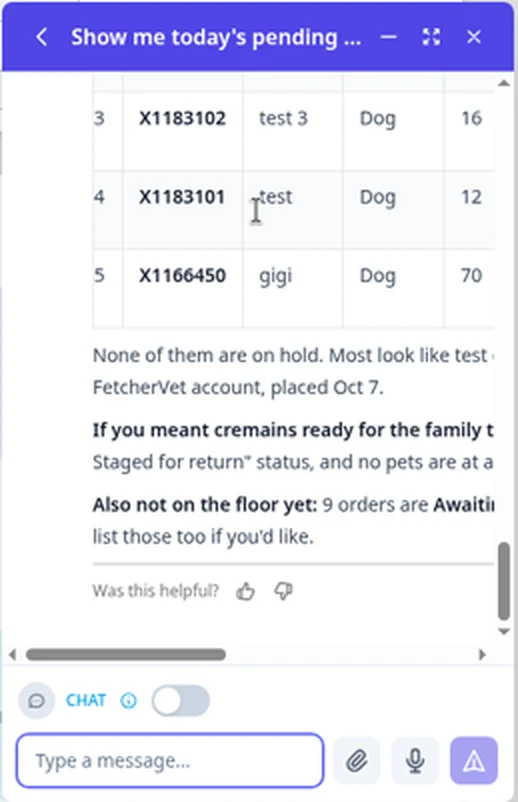
This month at a glance
A short summary of the month: top items and what they add up to, then a Worth noting list that flags what needs attention.
- Highlights such as pets still waiting at a station, or payments not yet recorded
- Notes when the numbers include test orders
- Ends with an offer to go one step further
"Can you check on Max?"
On your website, the chat bot looks up the pet's status for the family and can act on a request, such as adding a keepsake to the order, then hands them a clear next step.
- Shows when it is working on a request
- Status and requests come from your Angelpaw orders
- Shown in your business name, for example Ask Resting Rainbow
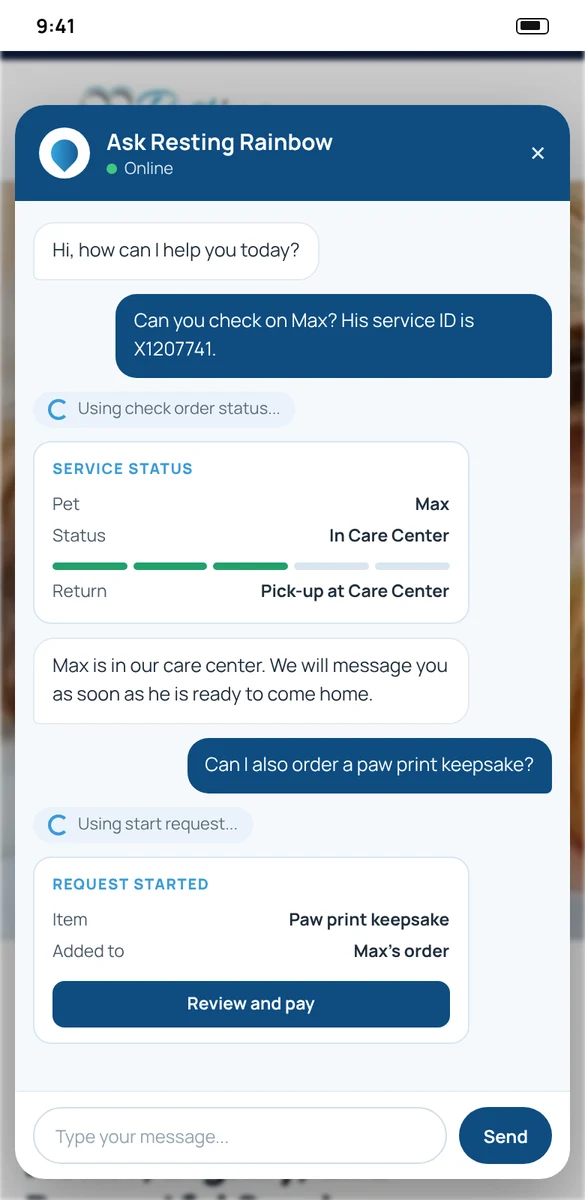
Examples 1 to 3 are real screens from a demo care center with test data. Example 4 is an illustrative mockup with fictional data. Answers depend on your own orders and settings.
One for your team. One for your families.
Both work from Angelpaw itself, so there is no separate system to keep in sync.
AI Assistant
Opens from the round chat button at the bottom right of any screen. It answers questions about your orders and about how Angelpaw's modules work, and it can open a support ticket for you.
- Inside the Angelpaw web app
- Type, speak or attach a file
- Turned on per care center
Pet parent chat bot
A chat window on your own website, in your name, connected to your Angelpaw account. Beyond answering questions, it can take actions and create reports.
- Starts requests and checks on a pet's status
- Creates reports on request
- Your business name in the chat
Type it, say it or attach it.
The assistant sits beside your work, so you never leave the order or report you are looking at.
Chat beside your work
The round chat button at the bottom right opens the assistant on any screen, and it can be expanded or minimized.
Voice input
A microphone button for speaking a question, and an optional voice wake word, "Hey Angel Paw", set in your care center settings.
Attach a file
Add a file to your question from the paperclip button in the message box.
Knows the platform
Answers how Angelpaw's modules work, based on the current functionality, alongside the guides that are updated with every release.
Was this helpful?
Every answer ends with a thumbs up or down, so your team can say when an answer missed.
Opens support tickets
When something needs the Angelpaw Support Team, ask the assistant to create the ticket for you.
When it needs a person, it gets to one.
Some things only the Angelpaw Support Team can change, such as data fixes or bulk clean-up of test orders. The assistant can open the ticket, and you follow it in Support Tickets.
- 1Ask the assistant to create a ticket, or click Open Internal Ticket on the Support page.
- 2A ticket has a subject, category, priority (Low, Medium, High or Urgent) and description, and a screenshot can be pasted straight in.
- 3Follow the ticket and reply to the Support Team from the ticket page. A reply reopens a closed ticket.
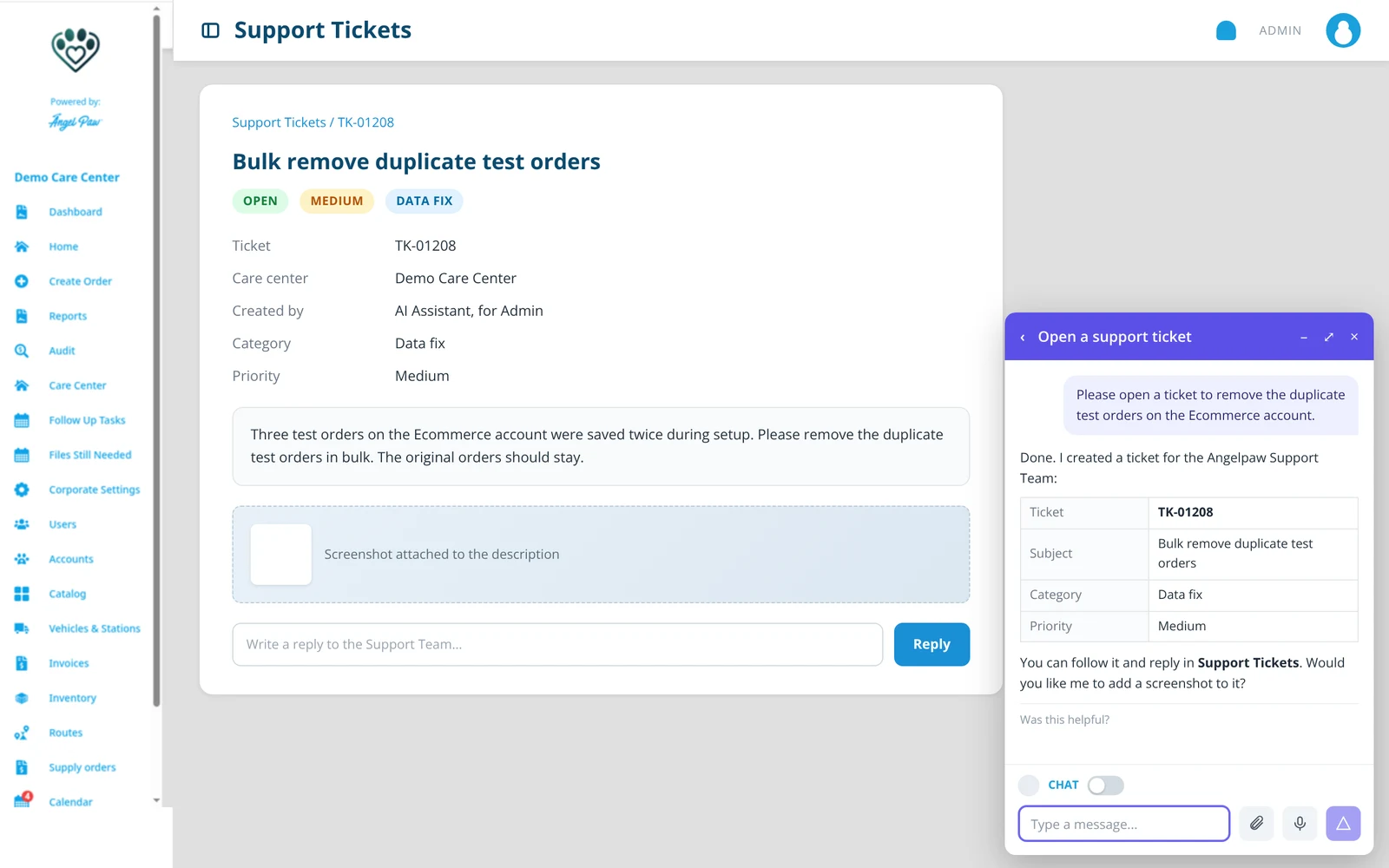
Illustrative mockup, fictional data.
On your website, in your name, and ready to act.
When families visit your website, the chat bot answers their questions and can take care of things for them, without leaving the page.
- 1A floating chat button on your website opens a chat in your business name, for example Ask Resting Rainbow.
- 2It takes actions for families, such as starting a request or checking on their pet's status, and shows when it is working on one.
- 3It can create reports on request, from the same Angelpaw data as your orders.
- 4It runs on your Angelpaw account, next to your online arrangements, booking and store.

Switched on where you want it.
The AI Assistant is turned on per care center, for care center staff and IT. Veterinary clinic users do not see it. The voice wake word and the internal ticketing system are set in your care center settings.
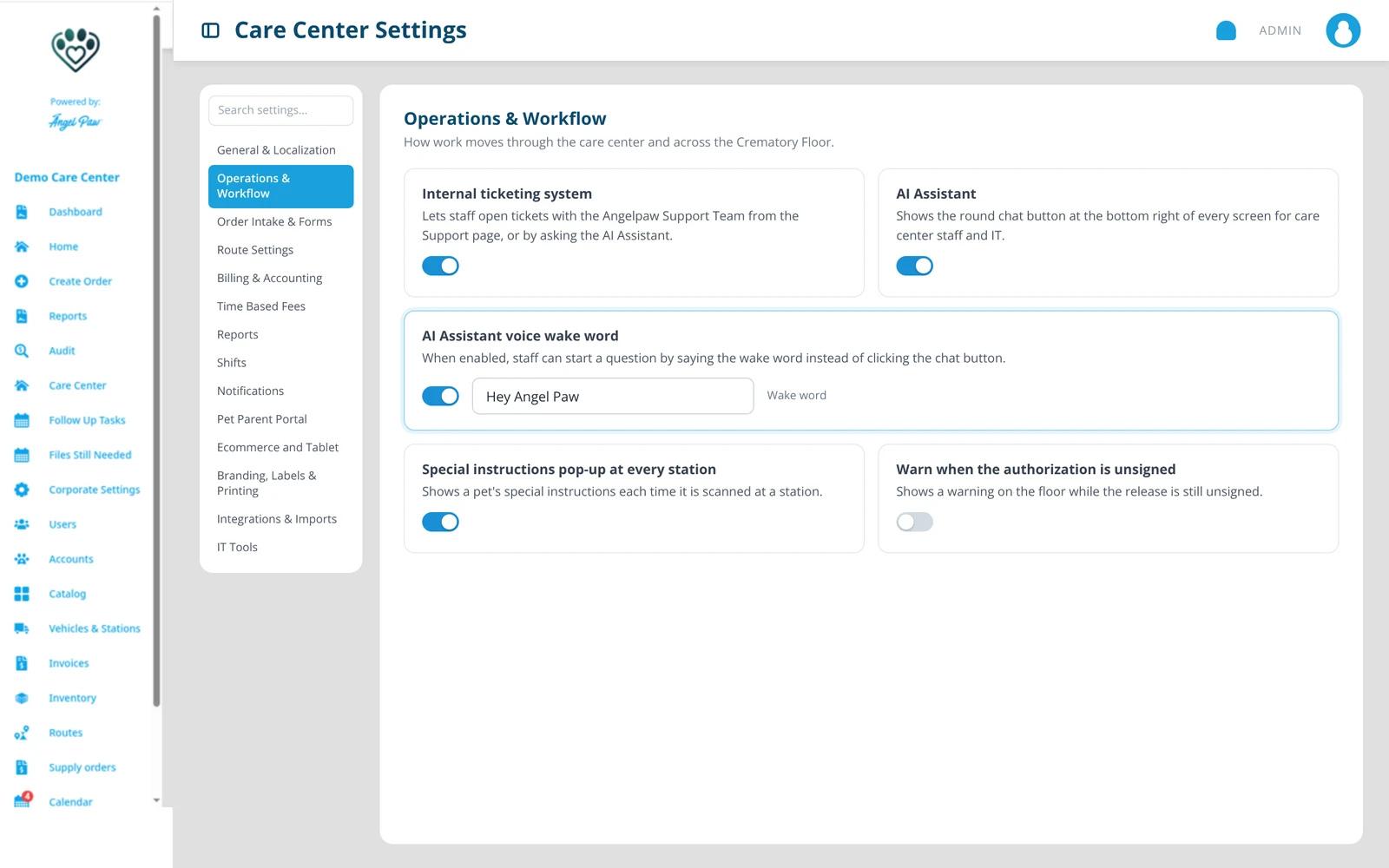
Illustrative mockup of the settings.
Common questions
Who can use the AI Assistant?
Care center staff and IT, when it is turned on for your care center. Veterinary clinic users do not have the assistant.
Where do I find it?
Click the round chat button at the bottom right of any screen in Angelpaw.
What can I ask?
Questions about your orders and data, such as today's pending orders or pets ready for pickup, and questions about how Angelpaw's modules work. Answers are based on the current functionality.
Can I talk to it instead of typing?
Yes. The message box has a microphone button, and your care center can set the voice wake word "Hey Angel Paw".
Can it open a support ticket?
Yes. Ask the assistant to create a ticket, then follow it and reply to the Support Team from Support Tickets.
What is the pet parent chat bot?
A chat window on your own website, shown in your business name and connected to your Angelpaw account. It answers families' questions and can take actions, such as starting a request or checking on a pet's status.
Can the chat bot do more than answer questions?
Yes. It can perform actions and create reports, working from the same Angelpaw data as your orders.
Do I need an Angelpaw website for the chat bot?
The chat bot is part of Custom Website + eCom. Talk to us about adding it to your site.