
Angelpaw works with the tools you already use.
Accounting systems, maps, messaging, mobile apps and the hardware on your floor all connect to the same platform, so your team enters information once and it shows up everywhere it is needed.
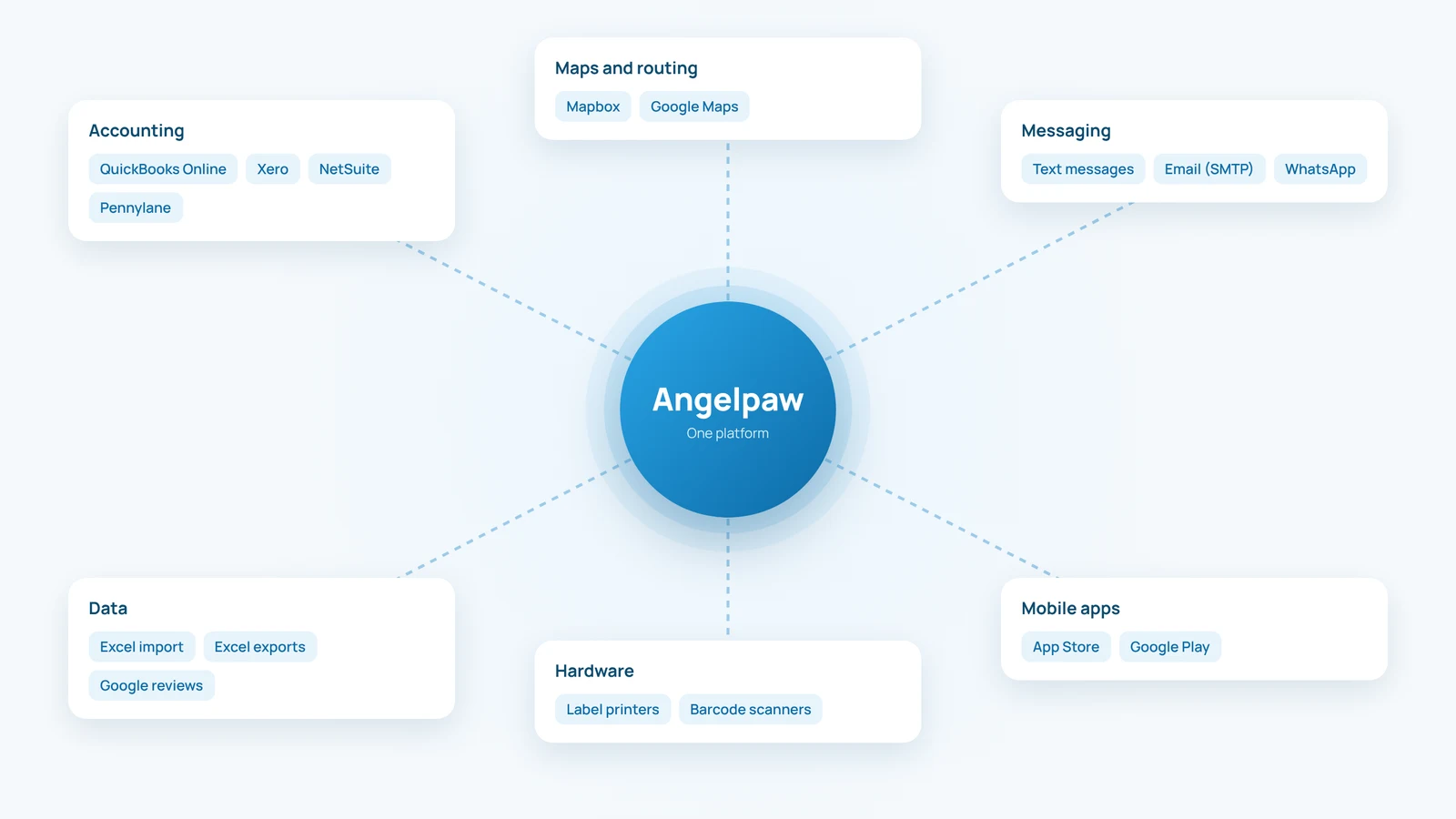
Illustration. Product names are trademarks of their owners.
The world's only vet PIMS integrations
Full integration into 94% of all Practice Information Management Systems — eliminating double data entry for vets and drastically reducing errors and processing times.
- 94% of all PIMS fully integrated
- Data pulled directly from PIMS — no double entry
- Completion data pushed back to finish the pet health file
- Covetrus & IDEXX cover 90% of all vets in North America
Keep the books where they already live.
Angelpaw connects to one accounting system per care center and sends invoices, and the payments recorded against them, at the moment you choose.

QuickBooks Online
Customer accounts and items linked both ways through import. Invoices, payments and the QuickBooks invoice PDF.

Xero
Invoices as Draft or Approved, and payments, with a sync log and automatic retries for failed entries.

NetSuite
Customer accounts, items and invoices, with income, expense and inventory accounts per item.

Pennylane
Customers, products with VAT rate and invoices, for selected European care-center groups.

Excel
No accounting system? Import accounts and items from spreadsheets and keep invoices in Angelpaw.
Taxes follow your setup
Taxes are sent with the tax code mapped to each item in your accounting system.
Choose your source of truth.
Catalog Data Origin decides where accounts and items come from: Excel, QuickBooks, NetSuite or Xero. It is chosen once during onboarding, and the Accounting card opens the integration page where you connect your company.
- When to sync is set in Billing & Accounting
- Sync buttons for anything manual or failed
- Real-time inventory sync to accounting is not supported
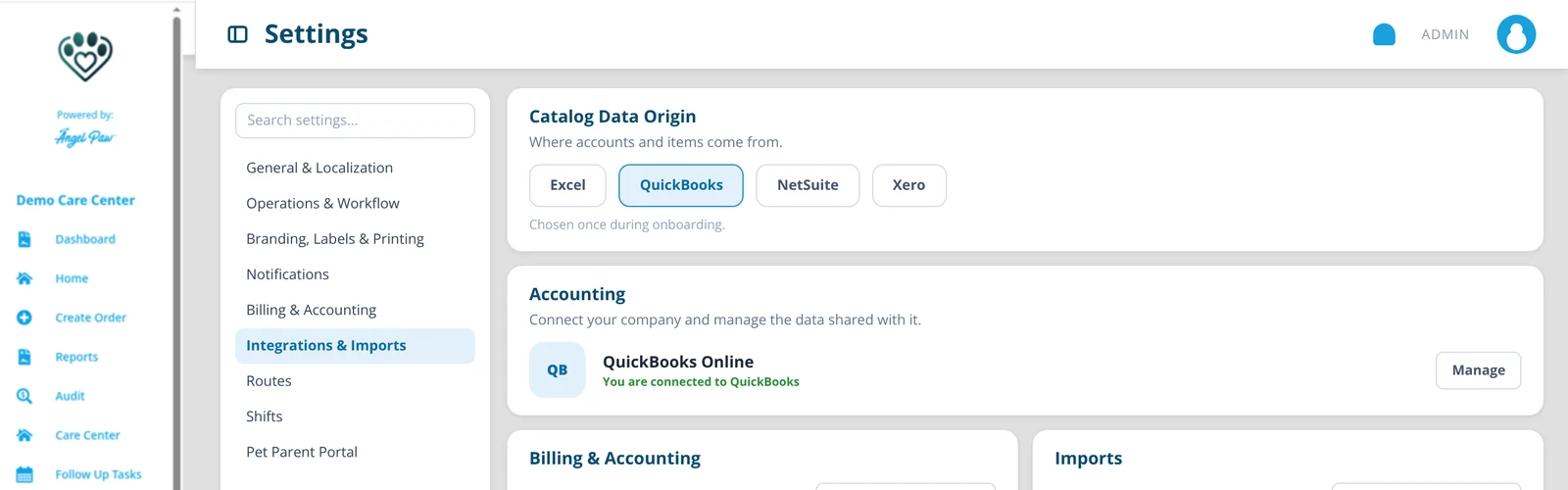
Illustrative mockup based on the Invoicing & Accounting guide.
Get paid, and keep the relationship.
Take card payments at the counter or by payment link, and connect the CRM your team already uses.

CardConnect
Card payments run through Payiv and CardConnect, with next-day deposits and every payment landing on the right order or invoice.

Clover
Clover Terminal for in-person card payments at the counter, recorded against the order or invoice.

Salesforce
Bring Angelpaw and your Salesforce CRM together, so your team works from the same customer picture.
Calls, texts and messages in one place.
Reach families, clinics and drivers by phone, text, email and WhatsApp, with every conversation tied to the right pet and order.

Twilio
Voice calls and text messages for your care center, powering VoIP and SMS notifications.

Vonage
Business phone and messaging, so calls and texts reach families and clinics reliably.

A WhatsApp inbox for every care center role, so families can reach you where they already chat.
Text and email
Notifications by text and email, sent from the default mailer or your own mail server.
Connected from the road to the floor.
Maps and routing for the road, shipping for your shop, apps and hardware for the floor, all on secure, reliable hosting.

Google Maps
Addresses, routing and the live van map, so dispatch and drivers work from the same map.

Mapbox
Dynamic routes are optimized on live maps, with traffic taken into account.

EasyPost
Live shipping rates calculated at checkout for retail shop orders, with shipping labels for the packages you send.


iOS and Android apps
The Driver App and Care Center app on the App Store and Google Play, plus the Pet Parent App.

Label printers and scanners
Barcode labels and pet QR labels printed on label printers such as Zebra, plus USB scanners for items at Special Services and Packaging.

Amazon Web Services
Angelpaw runs on Amazon Web Services for secure, reliable hosting.
Stay visible on social media.
Publish and schedule posts to your social accounts as part of SEO, PPC, Blog & Social, with content linked back to your website and blog.

Posts and updates for your care center page, reaching families in your community.

Photos and stories that show the care behind your services.

X
Short updates and news from your care center.

Professional updates for partner clinics and your local network.
Better together.
Angelpaw is part of the Empower family of companies, alongside Fetcher for veterinary practices.
Common questions
Which accounting systems do you connect to?
QuickBooks Online, Xero and NetSuite, plus Pennylane for selected European care-center groups. Care centers without an accounting system can work from spreadsheets.
Can we change our accounting system later?
Catalog Data Origin is chosen once during onboarding and then locked. Contact Angelpaw support to change it.
Does inventory sync to accounting?
Real-time inventory tracking from Angelpaw to the accounting system is not supported. Invoices and payments sync.
Which hardware do we need?
A computer with a modern browser, a label printer, and phones or tablets for the apps. A USB barcode scanner is optional.