
Collect every payment where the order lives.
Charge at the counter, send a secure payment link, or take payment against an invoice. Every payment lands on the right order or invoice, with clear rates, next-day deposits and card fees shown before anyone pays.
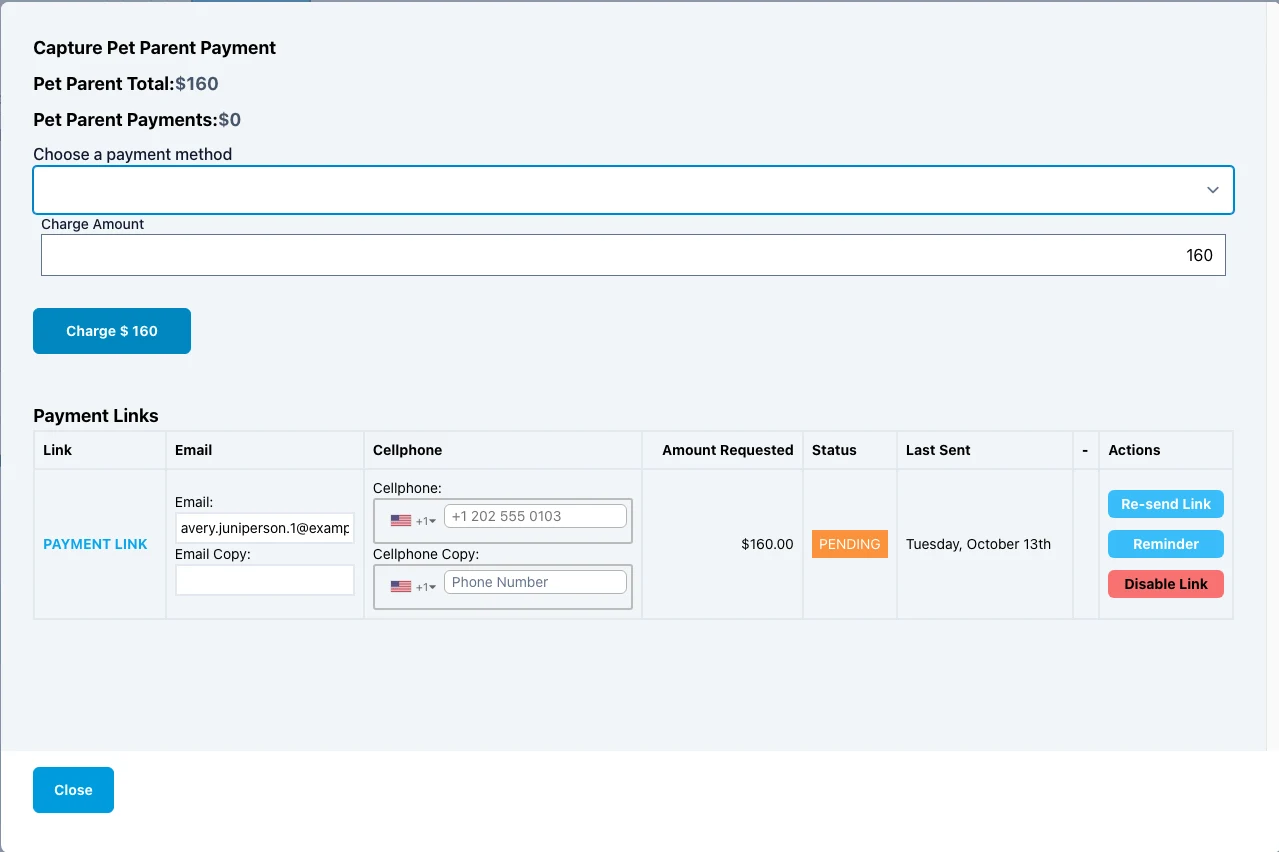
Real Angelpaw screens from a demo care center.
In person, by link, or by invoice.
Whichever way a family or clinic pays, the money is allocated back to the order or invoice ledger.
In person
Open the order, pick a payment method and charge on the spot. Partial payments are allowed, and the charge amount defaults to the open balance.
Payment link
Email or text the pet parent a secure link. They pay from their own phone, and the order updates as soon as they do.
Invoice payment
Pet parent and account invoices can be paid fully or partially from the invoice screen, which can also send a payment link.
Every way families and clinics pay.
Card payments run through Payiv and CardConnect. Card, Clover Terminal and Send Payment Link appear once your processor is connected.
Send it, chase it, get paid.
Every link on an order is tracked in its Payment Links table, with its status, amount requested and when it was last sent.
Created and sent
The link goes out by email and/or SMS as soon as the form is submitted.
Tracked and chased
Re-send, set a reminder every few days until paid, or disable it.
The family pays
Your logo, the line items and the requested amount, on their phone.
Recorded
The link is marked PAID and the payment allocated back to the order or invoice.
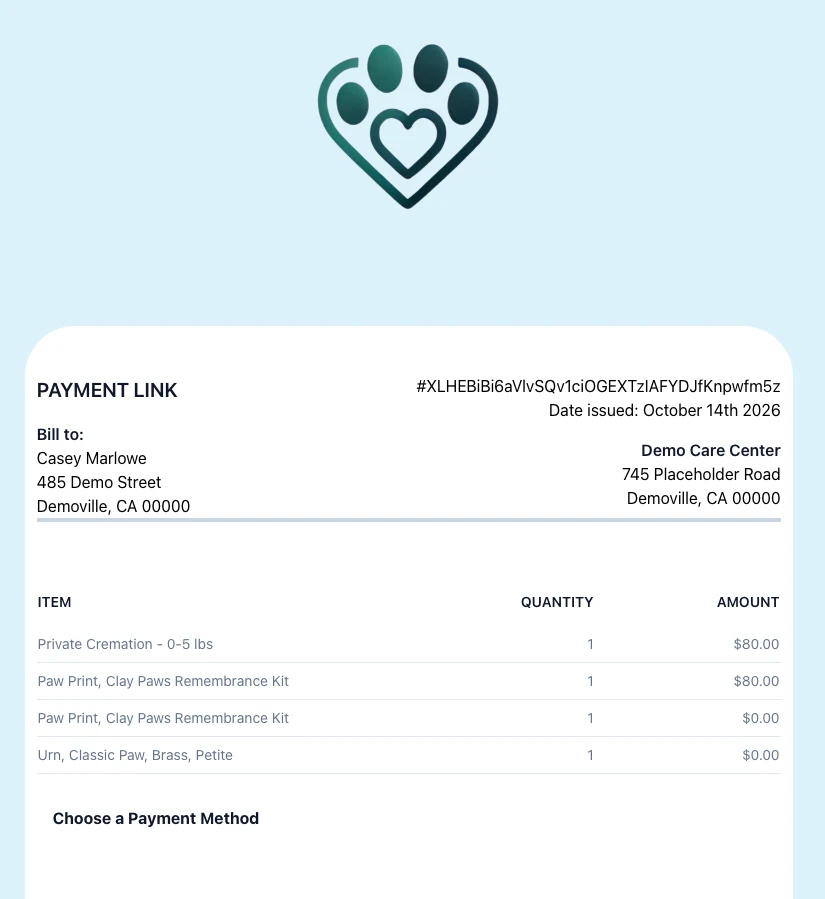
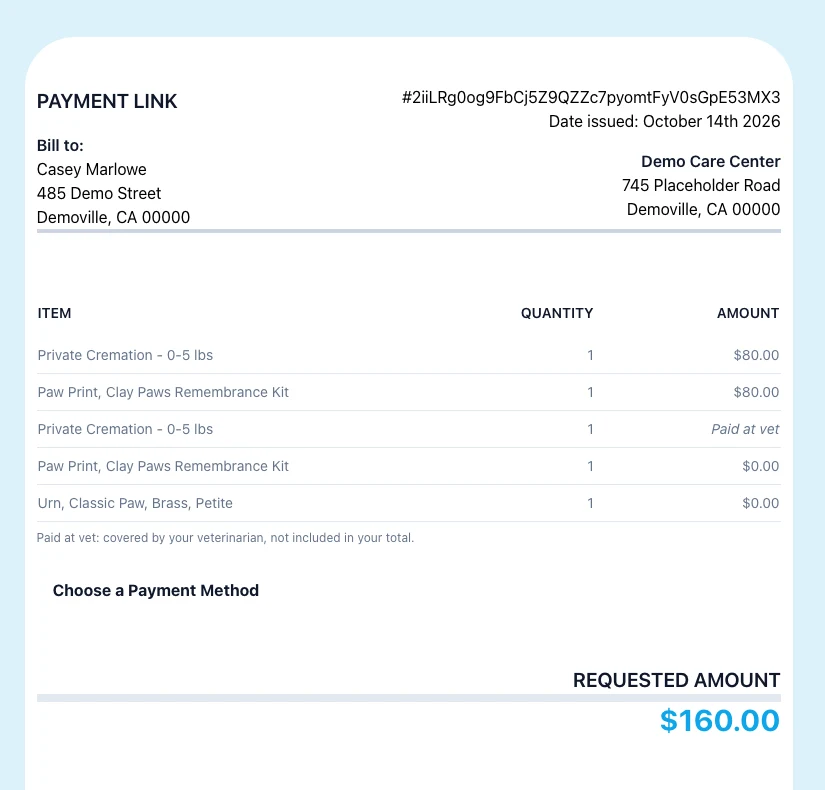
Real Angelpaw payment link pages from a demo care center.
Card fees, shown before anyone pays.
Each care center can set a service charge: a percentage added as a real line item when the family pays by card. Staff see the fee before they charge, so there are no surprises at the counter.
- Calculated on the amount actually charged, never the whole order
- Only card-like methods carry the fee
- One fee, ever: re-sent or re-opened links are never charged twice
- Accounts can set their own rate or opt out
- Always a real line, so reports, statements and accounting sync see it
Example with a 3% service charge. Your rate is set by your care center, and accounts can override it or opt out.
Families see only what they owe.
On a link sent to a pet parent, lines billed to the clinic stay in the list with their name and quantity, but read “Paid at vet”. The family sees prices only for their own lines and the requested amount, while staff and clinics still see every price.
- A note explains lines covered by the veterinarian
- Links on a paid invoice turn off automatically
- A partly paid invoice is charged only the remaining balance
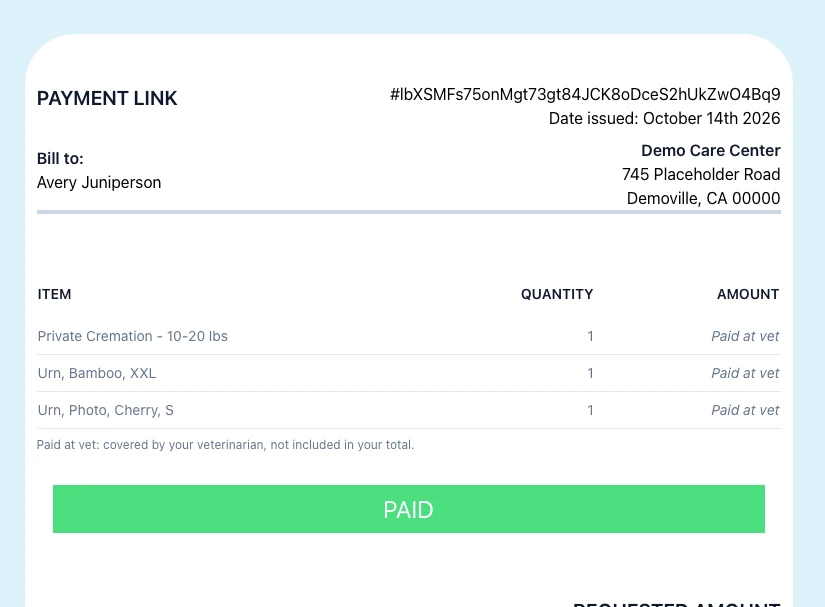
The details your front desk would otherwise track by hand.
Care Credit, fee-free
CareCredit’s merchant agreement forbids passing card fees to the cardholder, so Care Credit is treated like cash for fees everywhere.
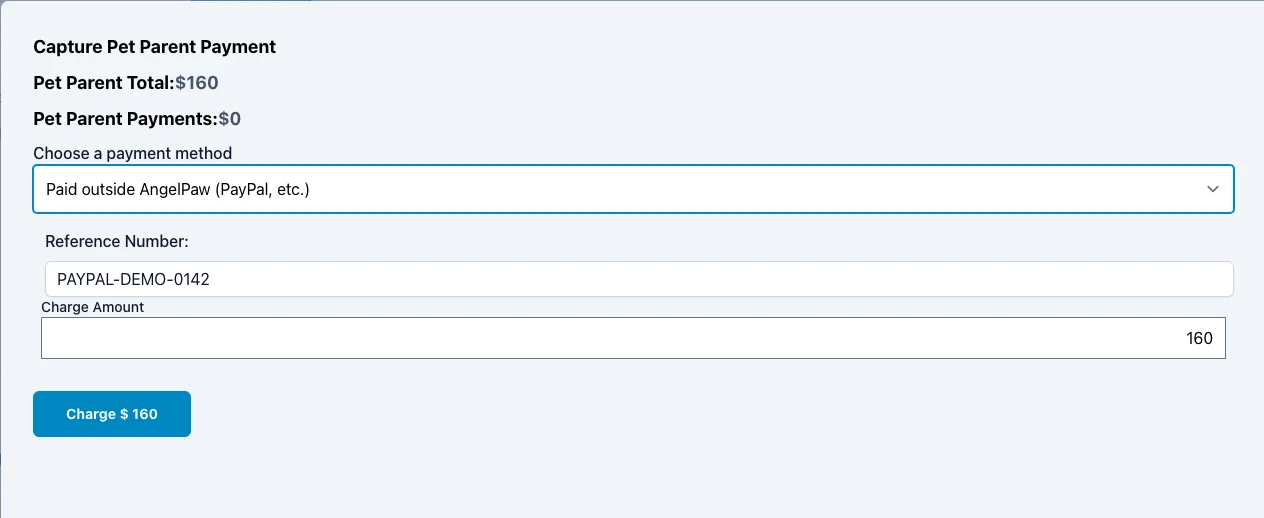
Paid outside AngelPaw
Record PayPal, Venmo or bank app payments with an optional reference number, no card fee, and their own line in the Daily Operations report.
Do-not-contact respected
If a pet parent is flagged “do not request payment”, the link is refused and nothing is sent.
Charging above the balance
Edit Order asks you to confirm before charging more than the open balance.
Partial payments
Lower the charge amount to collect part of the balance now and the rest later.
Tax stays as billed
Lines already invoiced keep the tax they were billed with when the order is saved again.
Money received another way still counts.
Families sometimes pay through PayPal, Venmo or their bank’s app. Record it as Paid outside AngelPaw with the transaction ID, so the order is settled and your reports stay accurate.
A calm checkout for a hard day.
Because payments live in the same system as orders and invoices, every charge is tied to the right family, pet and invoice, and your team does not have to reconcile it later.
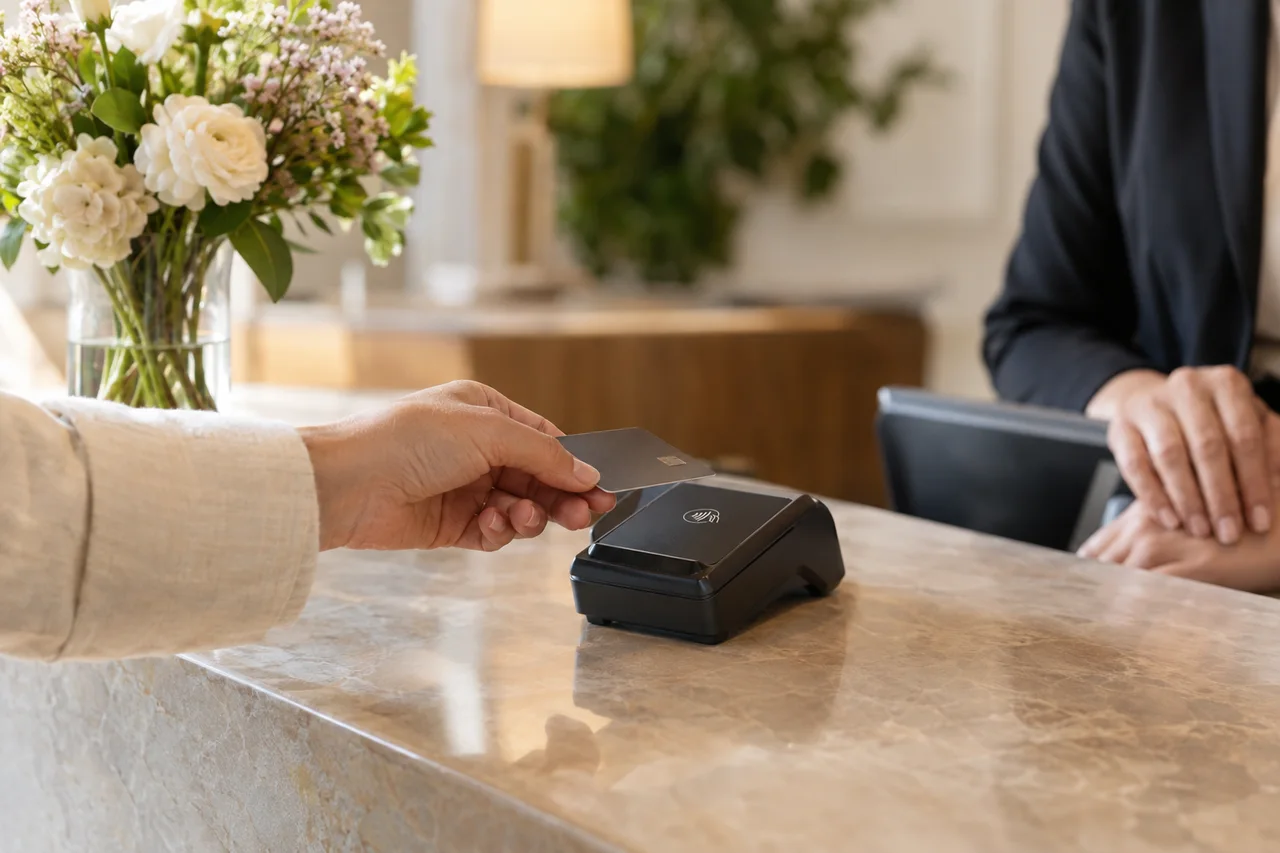
At the counter, or wherever the family is.
Take in-person card payments on Clover, with every payment recorded against the right order or invoice. Use Clover Terminal at the front desk, and Clover Flex when you need to bring the payment to the family.
- Clover Flex is a handheld device with a nearly 6″ touchscreen
- Chip, tap and swipe, plus Apple Pay, Google Pay and Samsung Pay
- Built-in receipt printer, or receipts by email or text
- Connects over Wi-Fi or LTE
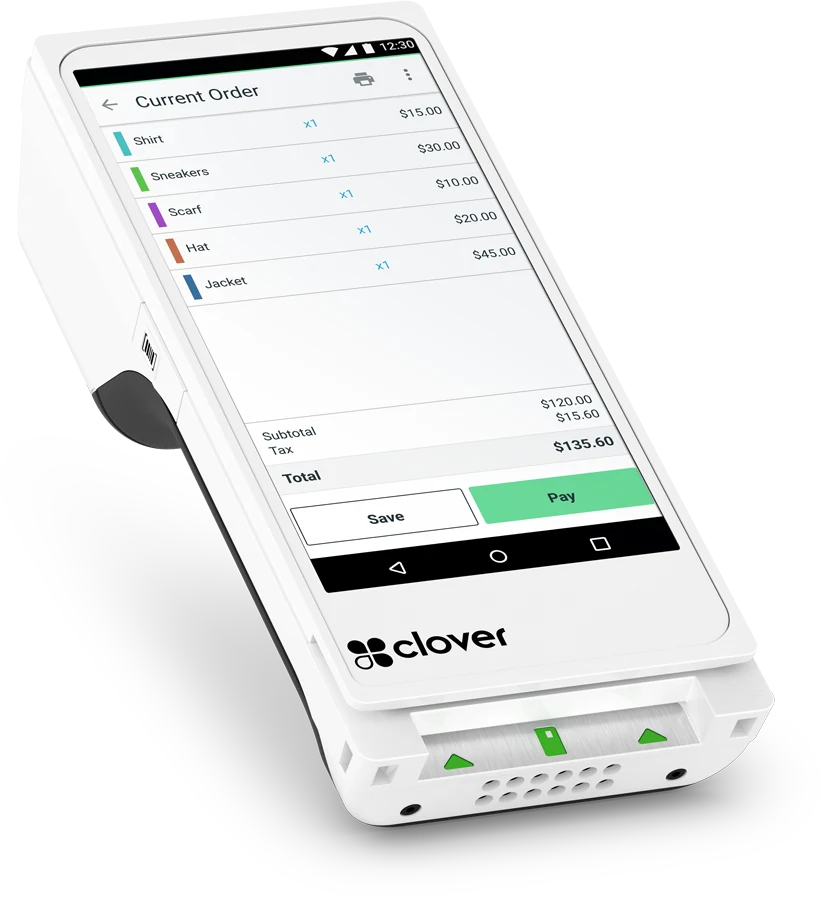
Product image: Clover. Device features as described by Clover.
Common questions
Which card processors are supported?
Card payments run through Payiv and CardConnect, and Clover Terminal and the handheld Clover Flex are available for in-person payments. Card, Clover Terminal and payment links appear once your processor is connected.
When do card payments reach our account?
With next-day deposits, card payments reach your account the day after they are taken.
How is the card processing fee calculated?
It is your care center’s service-charge percentage, unless the account has its own override, applied to the amount actually being charged. Cash, check, Use Balance, Paid outside AngelPaw and Care Credit never carry the fee.
Can I send reminders for unpaid links?
Yes. Set a reminder every X days until paid, with an optional note. Reminders go out automatically.
What happens if an invoice is paid another way?
Links sent from that invoice are disabled automatically, and anyone opening one sees that the invoice has already been paid. Nothing is charged.
Do fees show up in accounting?
Yes. The fee is always a real line on the order or invoice, so reports, statements and accounting sync include it.